
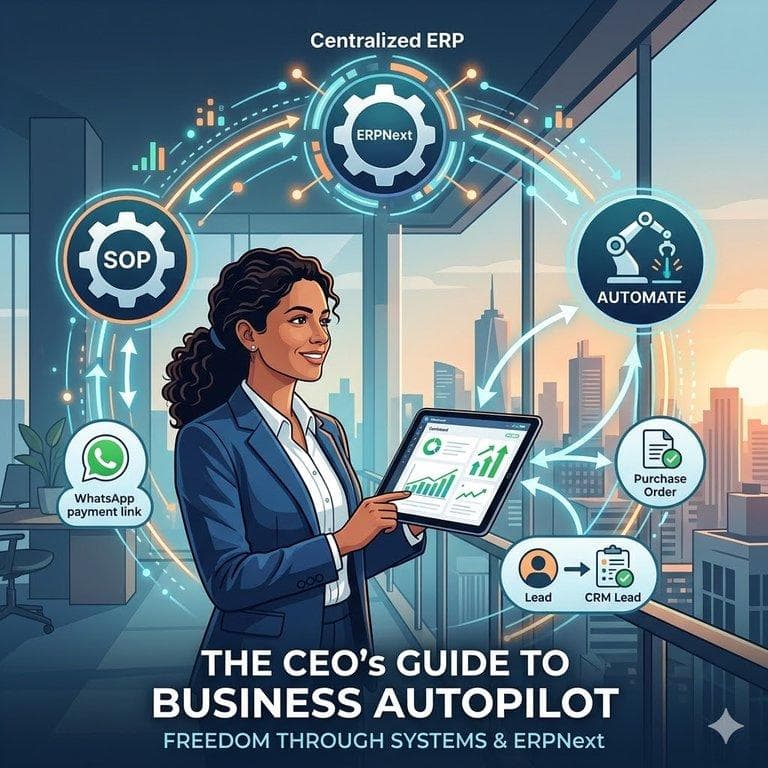
The '30-Day Vacation' Test
Let's start with a brutal question: If you switched off your phone and left for a 30-day vacation today, would your business grow, or would it collapse? For 95% of SME owners in India, the business would halt within 48 hours. This isn't business ownership; it's a high-stress job you can't quit.
The reason is simple: The 'Intelligence' of the business is locked inside your head. Your staff waits for your approval, your clients call your personal number, and your accounts are a mystery only you understand.
To break free, you don't need 'harder work.' You need a system. This guide covers the exact 3-step framework we use at Ecowin to transition clients from 'Operator' to 'Owner'.
Phase 1: Centralize (The Single Source of Truth)
You cannot automate chaos. Before we implement any AI or robots, we must fix the data. Currently, your business likely runs on a mix of WhatsApp messages, Excel sheets, and mental notes.
Why Excel is Killing Your Freedom
- Data Isolation: Sales doesn't know what Inventory has in stock.
- No Accountability: Anyone can delete a row in Excel without a trace.
- Manual Dependency: You have to manually call people to get updates.
The first step to Autopilot is moving everything into a Cloud ERP (like ERPNext). This becomes your 'Central Brain.' When a salesperson makes a quote, the inventory team sees it instantly. No phone calls required.
Phase 2: Standardization (The SOP Engine)
Standard Operating Procedures (SOPs) are the difference between a local shop and a Franchise. An SOP is a documented set of instructions that ensures a task is done the same way, every time, regardless of who does it.
How to 'Download' Your Brain
We ask our clients to document their core processes. For example, 'How to handle a customer complaint'. Instead of you stepping in to fix it, we build a Workflow in the ERP:
- Step 1: Log ticket in ERP (Mandatory).
- Step 2: System auto-assigns to Support Manager based on category.
- Step 3: If not resolved in 24 hours, System auto-emails the CEO (Escalation).
This is the power of Systemization. You only get involved when the system fails (Exception Management), not for every daily task.
Phase 3: Automation (The Invisible Employee)
Once we have Data (Phase 1) and Process (Phase 2), we turn on the Autopilot. This is where we use ERPNext's automation rules to perform tasks that humans usually forget.
Examples of Autopilot Workflows:
- Sales Autopilot: Lead fills website form -> System sends WhatsApp Greeting -> System creates CRM Lead -> System assigns to Sales Agent. (Zero human touch).
- Payment Autopilot: Invoice due in 2 days -> System checks status -> If unpaid, System sends WhatsApp reminder with payment link.
- Inventory Autopilot: Stock drops below 10 units -> System auto-generates a Purchase Order for the supplier.
The Result: Management by Dashboard
When you implement this framework, your role changes. You no longer spend the day asking 'Did you send that invoice?'. Instead, you open your ERP Dashboard in the morning. If the graphs are green, you are free. If a graph is red, you click to see why.
This is how you run a business on Autopilot. It is not magic; it is engineering.
Ready to Build Your System?
At Ecowin, we don't just sell software. We act as your 'Process Architects'. We analyze your messy workflows and rebuild them into a streamlined ERPNext system.
If you are ready to fire yourself from daily operations, book a Free Automation Audit with us today.